Windows Login
You can configure automatic Windows login from the Epson RC+ 8.0.
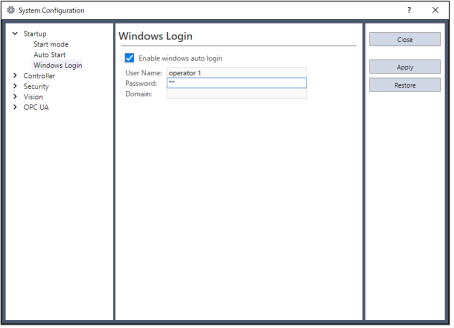
In [Setup]-[System Configuration]-[Startup]-[Windows Login] page, check the [Enable windows auto login] checkbox. Then, enter the name and password of the user logging in. Optionally, you can supply a domain, if required.
However, you must have the authority of Windows Administrator to set login parameters.
To configure automatic Windows login from the Epson RC+ 8.0, you must reboot the system the first time. After the reboot, Windows login will be automatic.