Appendix B: Stopping Time and Stopping Distance at Emergency Stop
The stopping time and stopping distance at an emergency stop are shown in the graphs for each model.
The stopping time is the length of time corresponding to the "Stopping time" in the figure below. Be sure to confirm that a safe environment is provided where the robot will be installed and operated.
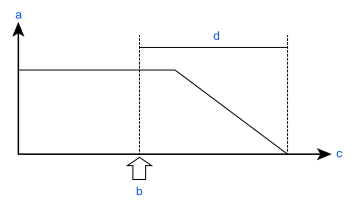
| Symbol | Description |
|---|---|
| a | Motor speed |
| b | Emergency stop or safeguard open |
| c | Time |
| d | Stopping time |
Conditions
The stopping time and stopping distance depend on the parameters (setting values) that were set for the robot. These graphs show the times and distances for the following parameters.
These conditions are based on the ISO 10218-1:2011 Annex B.
- Accel: 100, 100
- Speed: 100 %, 66 %, 33 % Settings
- Weight: 100 %, 66 %, 33 % of the maximum payload, rated payload
- Arm elongation rate: 100 %, 66 %, 33 % *1
- Other settings: Default
- Operation: Singular axis motion of a Go command
- Input timing of the Stop signal: Input with maximum speed. In this motion, it is the center of the motion range.
*1 The arm elongation rate The arm elongation rate L is as described in the figure below. The graphs indicate the results where the stopping time and the stopping distance in the longest among the arm elongation rates.
| Axis | θ = 100% | θ = 66% | θ = 33% |
|---|---|---|---|
| J1 | 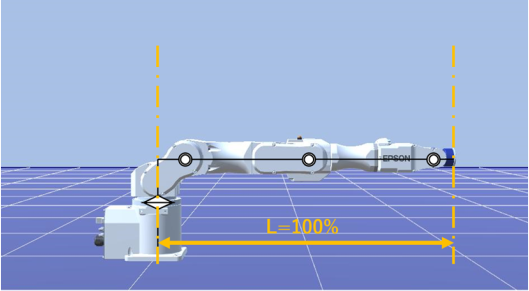 | 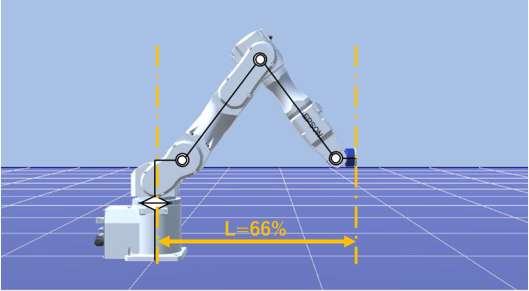 | 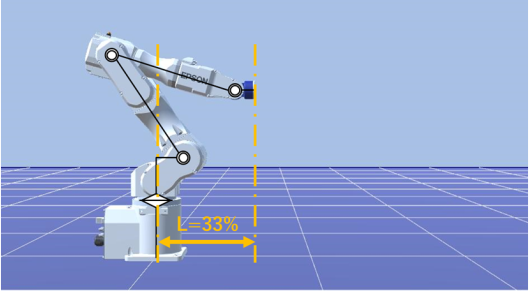 |
| J2 | 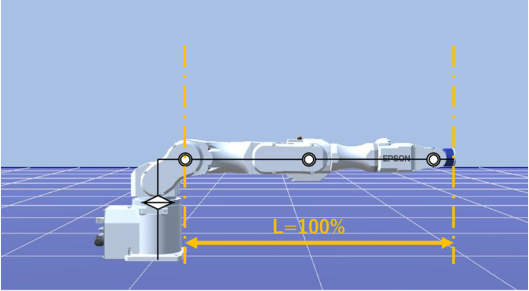 | 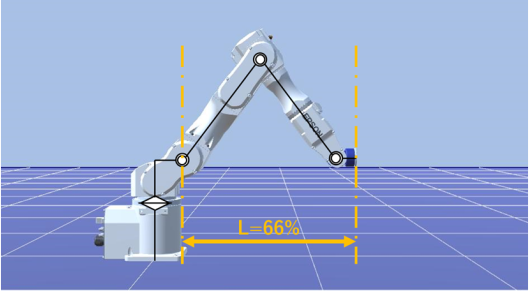 | 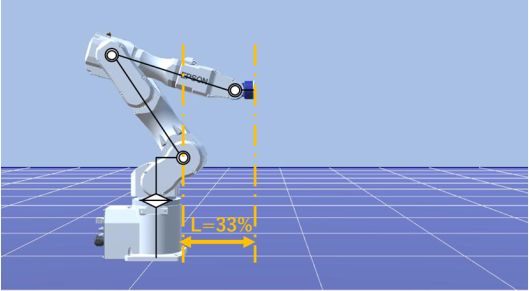 |
Explanation of legend
The graphs are displayed for each Weight setting value (at 100%, approx. 66%, and approx. 33% of the maximum payload, and at the rated payload).
- Horizontal axis: Arm speed (Speed setting value)
- Vertical axis: Stopping time and stopping distance at each arm speed
- Time (sec): Stopping time (sec)
- Distance (deg): stopping distance (degree)