Inline Edit
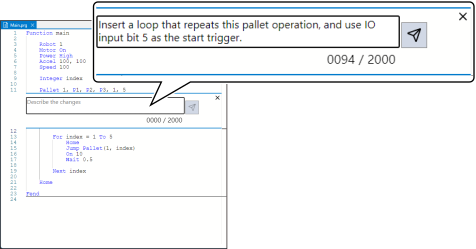
By using Inline Edit, you can instruct to generate and edit code in the editor. You can do this without having to switch to another window which allows you to carry out your work without being interrupted.
Use Inline Edit when you want to quickly edit the displayed program. Use the Chat Edit screen when working on tasks that require multiple steps, changing multiple files, and searching a large scale code base.
Sample prompt
Insert a loop that repeats this pallet operation, and use IO input bit 5 as the start trigger.