Prerequisite Setup
For the prerequisite setup required to use RC+ Cloud, refer to the video below.
(Playback starts at the relevant section.)
KEY POINTS
- An Internet connection is required to view the video.
- Audio will play.
- To display subtitles in your language, use YouTube's automatic subtitle translation feature.
License Management
Usage Restrictions When Service Resource Limits Are Reached
When the limits of service resources managed by the organization are reached, use of the applicable service is restricted as follows.
| Function | Managed Item | Restriction |
|---|---|---|
| Data Capacity | Shared folder capacity [GByte] | New files cannot be uploaded |
| Number of monitored controllers | Number of controllers to monitor | Dashboard unavailable However, data collection continues. New Controllers cannot be created |
| Number of remote connection gateways | Number of gateways (simultaneous connections) | New connections cannot be started. New Gateways cannot be created |
| Web-based RC+ | Usage time [hours/month] | Cannot be newly launched |
| AI Assistant usage | Number of tokens used [tokens/month] | New requests cannot be submitted |
Using the Cloud Edition Offline
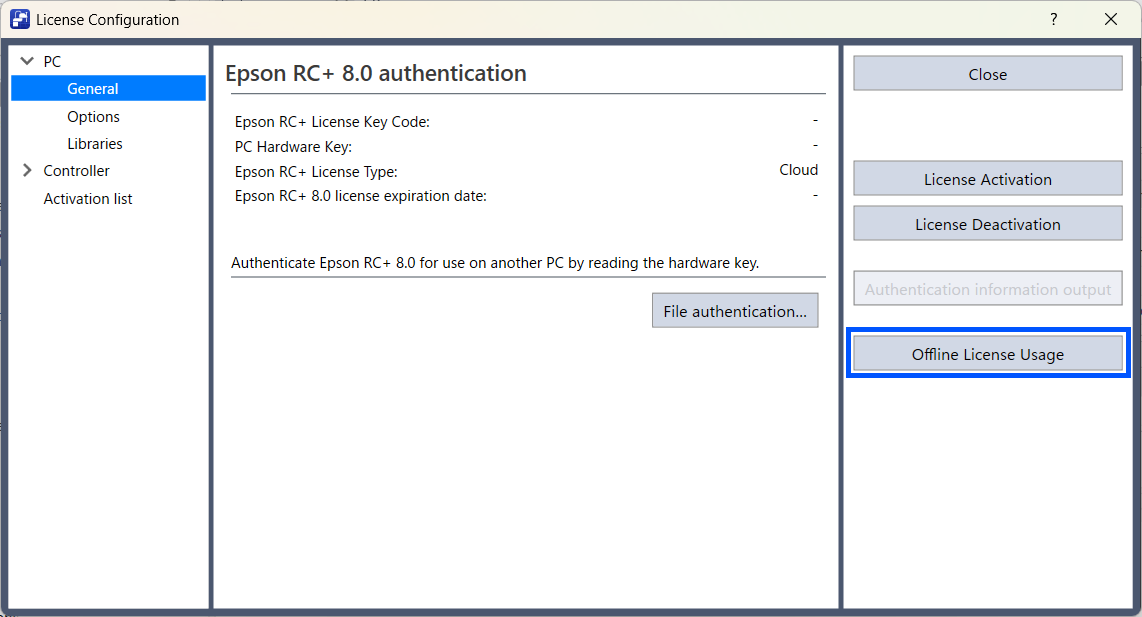
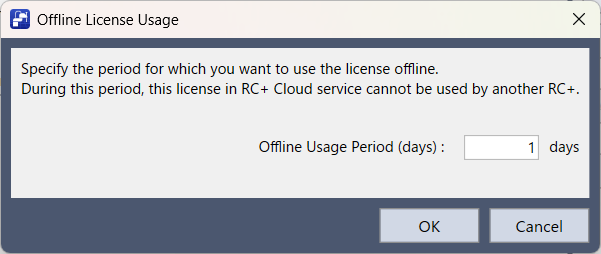
If the Cloud edition is activated in RC+, it can be used offline for a specified period.
- On the [Setup] menu, click [Licenses].
- On the License Configuration screen, click [Use License Offline].
- Enter the number of days to use offline, and click [OK].
KEY POINTS
During the period in which it is used offline, the entitlement for the applicable RC+ Cloud service license cannot be used by another RC+.
Creation Permission Settings
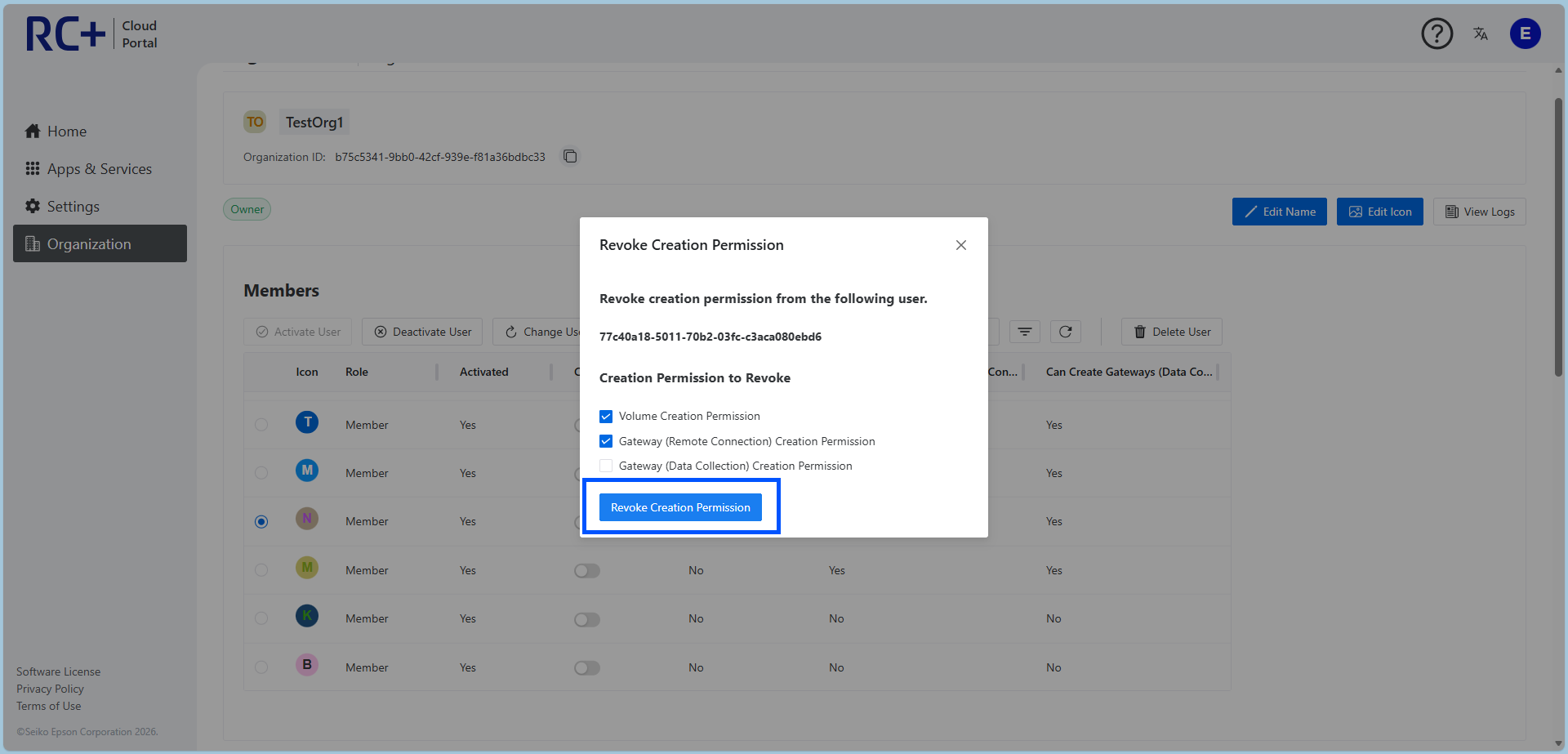
Revoke Resource Creation Permission
If creation permission granted to an organization member is no longer required, an organization owner can revoke it.
For the revocation procedure, see the steps below.
- Open the "Organization" page and display the member list.
- Select the member whose permission you want to revoke.
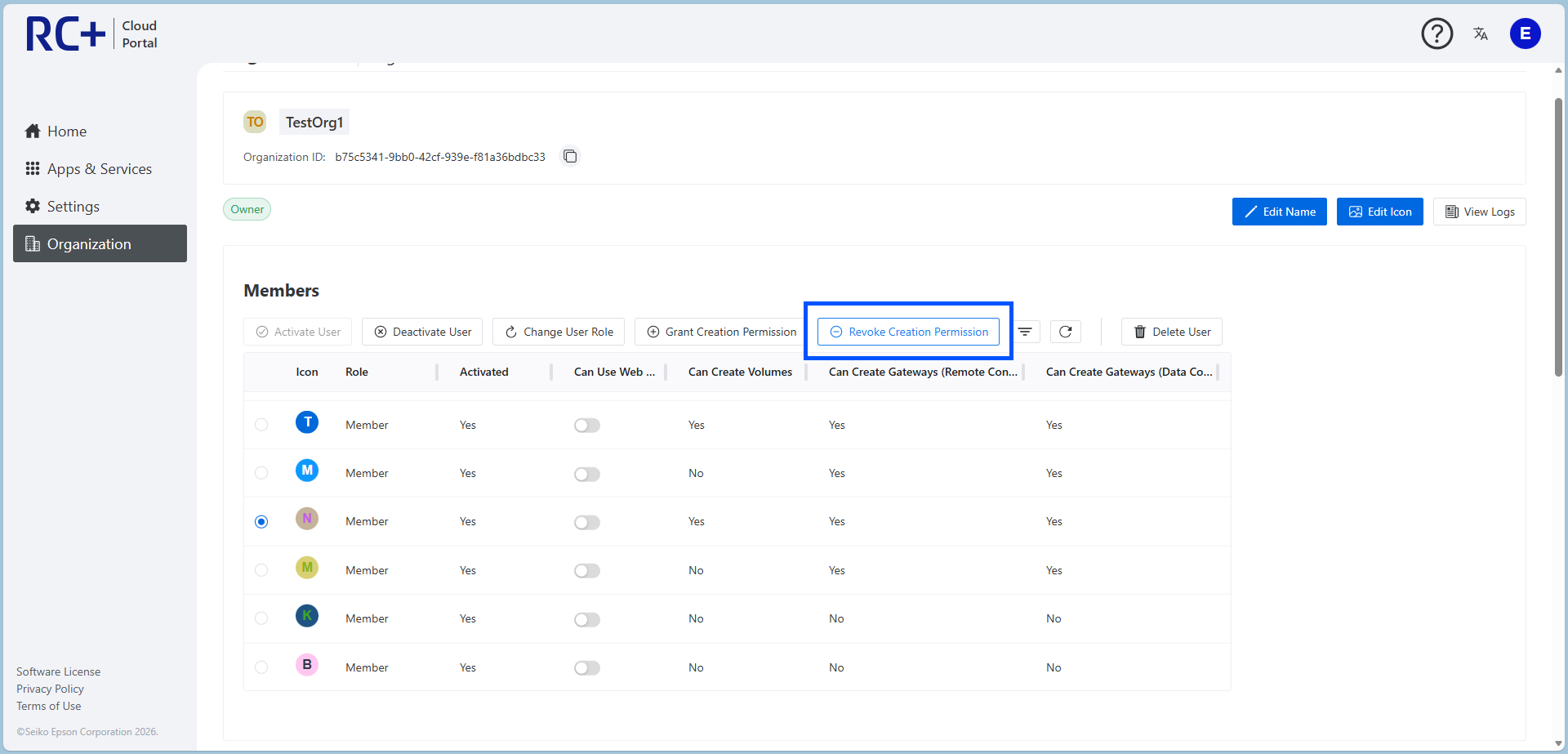
- Select the creation permission to revoke. After making your selection, click [Revoke Creation Permission] to revoke the selected creation permission.