Setting for Server Certificate
Prepare the Server Setting. In this example, we will use the server certificate created below using the OPC UA Configurator.
Set the using type of the Server Certificate in OPC UA Configurator. For details, refer to the following.
Setup using type of Server Certificate
In this example, the setting are as follows.
Item Set value Select Type 1: Self signed Register the Server Certificate in UaExpert.
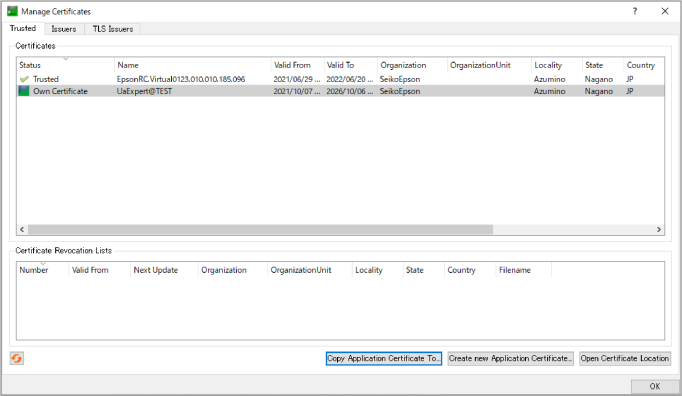
Click [UaExpert] - [Setting] - [Manage Certificates…] - Open Certificate Location.
Copy the Server Certificate you created to the opened folder. Check for the Server is added to the Certificates list, and [Status] states “Trusted”.