Backlight Overheat Prevention
WARNING
The IF-80 feeder backlight can overheat and become broken if the duty cycle for the backlight is greater than 33%.
The feeder automatically turns off the backlight after a timeout.
To prevent damage caused by overheating of the backlight, the backlight is controlled not to turn on continuously:
Epson RC+ enforces a cool off delay if the backlight was turned off due to a timeout after the user had turned on the backlight manually.
During vision sequence operation, the backlight is turned on, the sequence runs, then the backlight is turned off immediately.
When the user manually turns on a backlight for the IF-80 from Epson RC+, then after a delay, the [Feeder * Backlight Cooling Delay] dialog is displayed. *indicates the feeder number.
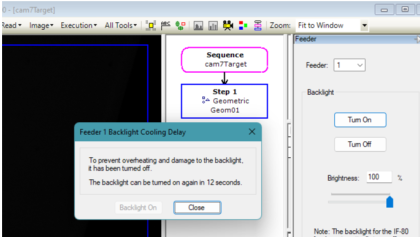
It shows a countdown in seconds for when the backlight can be turned on again. After the cool off delay, the [Backlight On] button is enabled, and the user can turn on the backlight again. The user can also click the [Close] button to close the dialog without waiting for the cool off delay. In the screenshot above, you can see that 12 seconds is remaining – it will continue to count down until 0, then the message is changed and the [Backlight On] button is enabled, as shown in the next screenshot.
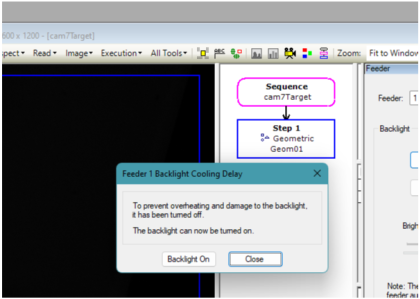
If the user clicks [Close] button and then tries to turn the backlight on again before the cool off delay is reached, then the [Feeder * Backlight Cooling Delay] dialog is displayed again showing the remaining cool off seconds.
If there are multiple IF-80 feeders in the system and multiple backlights are turned on, then the [Feeder * Backlight Cooling Delay] dialog will open for each backlight that requires it.
When running a vision sequence or object from the Epson RC+ Vision Guide window, the backlight is turned on, the image is grabbed, the backlight is turned off and the video is temporarily frozen. Freezing the image allows the user can see the image even though the backlight has been turned off. The user can click on the video area to switch back to live video.
← IR Backlights Cables →