Downloading extensions
Download extensions from the [Browse] tab of the Extensions Manager.
Select the extension you want to download and its version, and then click the [Download] button.
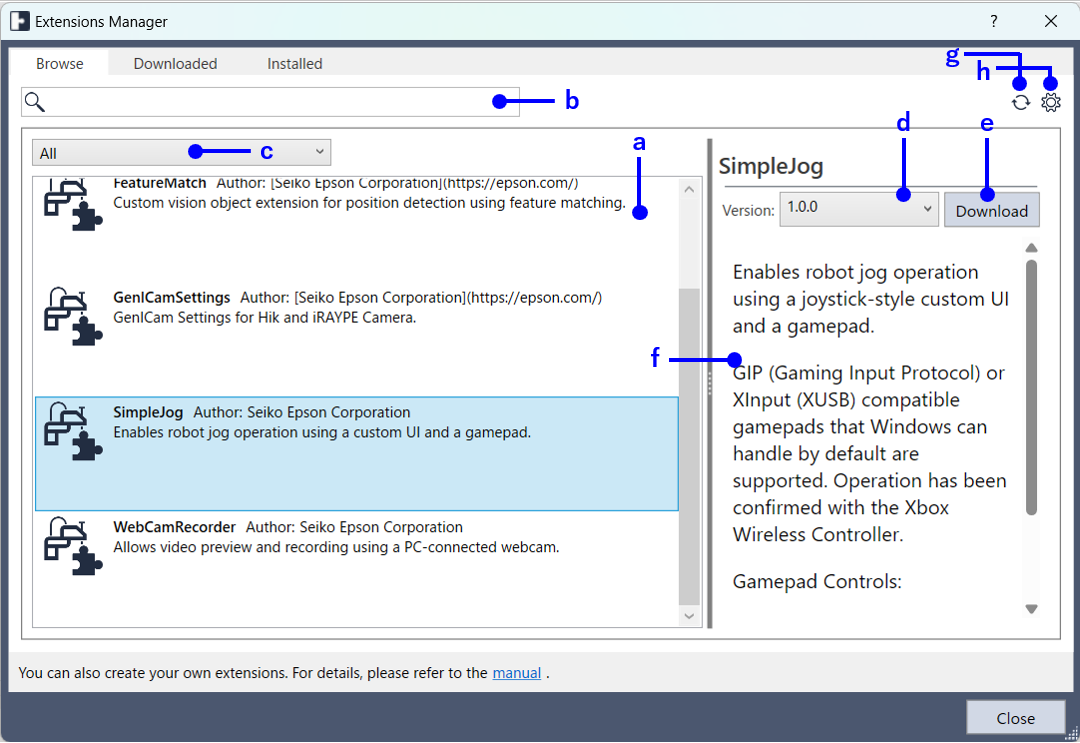
| Symbol | Description |
|---|---|
| a | The following extensions are displayed. - Extensions publicly available from Epson - Extensions placed in the local source |
| b | Extensions that contain the entered text are displayed in "a". If nothing is entered, all extensions are displayed. |
| c | Select the type of extensions to be displayed in "a".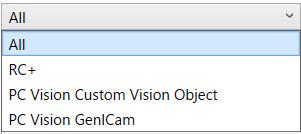 |
| d | Select the extension version. |
| e | Downloads the version selected in "d" of the extension selected in "a". Downloaded extensions are displayed on the [Downloaded] tab. |
| f | The description of the selected extension is displayed. |
| g | Refreshes the display in "a". |
| h | Configure the local source folder. When an extension package file is placed in the folder configured here, it will be displayed on the [Browse] tab. 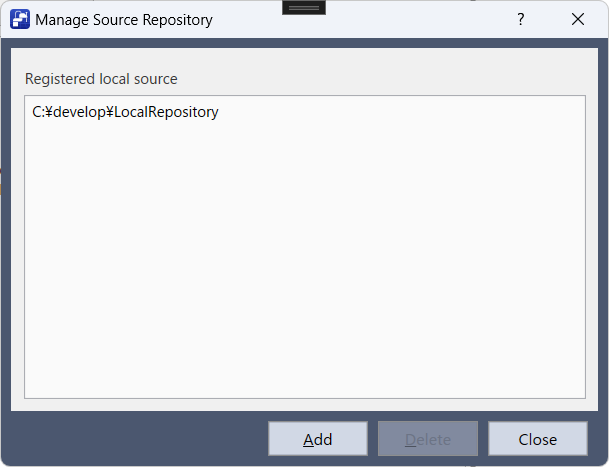 |