Launching Applications
There are two ways to start the Epson Feeder Configurator.
- Double-click the [Epson Feeder Configurator] icon on the desktop.
- Select [Epson Feeder Configurator] - [Epson Feeder Configurator] from the Windows Start menu.
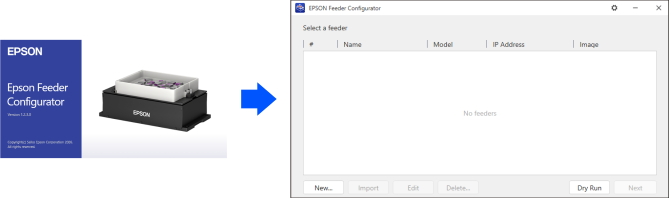
A splash screen appears momentarily, then the feeder model selection screen appears after a few seconds.
KEY POINTS
You cannot run multiple instances of the Epson Feeder Configurator on a single PC.