Dry Run Mode
In dry run mode, you can launch the Epson Feeder Configurator offline, even if this application cannot connect to the feeder unit. This is intended for displaying each tab on the main screen and checking the functions of each tab.
The following functions are restricted in dry run mode.
- Communication between the feeder unit and the application
- Running function tests (vibration, sequence, backlighting, hopper and purge gate) and saving parameters
- Saving and retrieving parameter values file
- Updating the firmware
Follow the procedure below to execute the dry run mode.
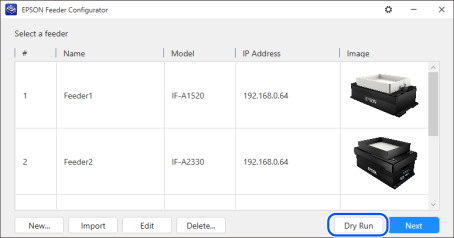
Click the [Dry Run] button on the feeder model selection screen.
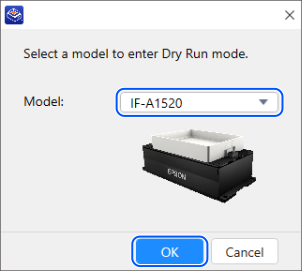
Select the feeder model you want to display and click [OK].
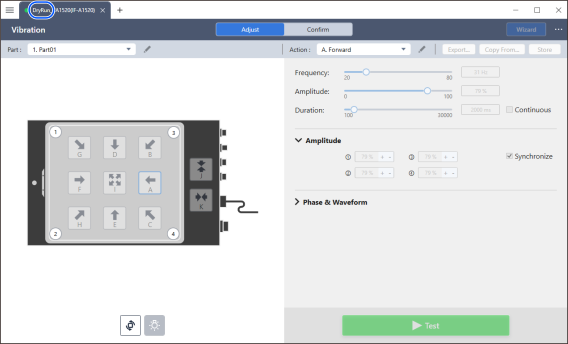
The main window opens in dry mode. "Dry Run" appears at information of connected feeder.
To exit the dry run mode, do one of the following:
- Click the [+ (add device to connect)] button at the top of the screen, and then reconnect to the feeder on the feeder model selection screen.
- To exit the Epson Feeder Configurator, click the [× (close)] button in the upper right corner of the screen, or select [Exit] from the [… (options)] menu.
For information on the function to add connected devices, see below.
Main Window - Common Functions