Main Window - Common Functions
When you launch this application, the main window will be displayed. This section explains the functions common to all function screens. Regardless of which function screen you are viewing, these common functions are always displayed and accessible.
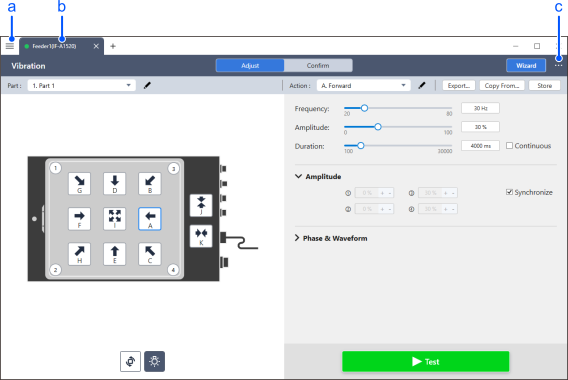
| Item | Description | |
|---|---|---|
| a | ☰ (Function Selection) Menu | This displays a menu for selecting the seven main functions of this application. Reference: ☰ (Function Selection) Menu |
| b | Information of connected feeder | Shows the information of the connected feeder. This application can connect to up to three feeders simultaneously. However, only the one displayed can actually be controlled. |
| c | … (Option) Menu | This displays a menu for selecting file operations, settings, and more. Reference: … (Option) Menu |