TrackBar Control
Description
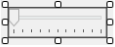
A TrackBar control is used to allow the operator to set a value by dragging a slider.
Usage
Use the TrackBar control when you want to support changing a value graphically.
Displaying SPEL+ Global Variable (Except Arrays) Status
You can set the value of a SPEL+ global variable automatically according to the trackbar value by using the Variable property.
NOTE
If the SPEL+ global variable is not updated by the setting of Variable property, rebuild the project.
TrackBar Control Properties
| Property | Description |
|---|---|
| BackColor | The background color for the control. Default: Control |
| Enabled | Sets whether the control is enabled at runtime. Default: True |
| EventTaskType | Sets the type of task used for events. Default: Normal |
| Height | The height of the control in pixels. |
| LargeChange | Sets the number of positions that the slider moves when clicking the mouse on either side of the bar or by pressing Page Up and Page Down keys. Default: 5 |
| Left | The left coordinate of the control in pixels. |
| Maximum | Sets the maximum of the range that the control is processing. Default: 10 |
| Minimum | Sets the minimum of the range that the control is processing. Default: 0 |
| Name | The name of the control. Default: TrackBarXX |
| Orientation | Sets the orientation of the control. Default: Horizontal |
| SmallChange | Sets the number of positions that the slider moves for keyboard inputs (arrow orientation keys). Default: 1 |
| TabIndex | The tab index of the control. |
| TickFrequency | Sets the interval of the tick marks. Default: 1 |
| TickStyle | Sets where to display the tick marks on the track bar. Default: 2- BottomRight |
| ToolTipText | The text used in the control’s tooltip. Default: Empty |
| Top | The top coordinate of the control in pixels. |
| Value | Sets the value that represents the control’s current position. Default: 50 |
| Variable | Sets the SPEL variable whose value will be set at runtime when the component is scrolled. Default: None |
| Visible | Sets whether the control is visible or not at runtime. Default: True |
| Width | The width of the control in pixels. |
TrackBar Control Events
| Event | Description |
|---|---|
| Scroll | Executes after the slider on the track bar has been moved. |