Security User: Administrator
This page allows you to add and remove Epson RC+ 8.0 users.
Two users are permanent: Administrator and Guest. Only the passwords can be changed for these users.
You should always use a password for the Administrator. No password is set at shipment time.
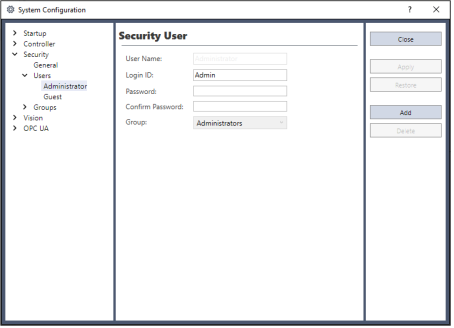
To add a user
- Click the [Add] button.
- A new user will be added to the tree.
- Click the new user [Group].
- Click the dropdown button and select the group for the user.
To delete a user
- Click the [User] you want to delete.
- Click the [Delete] button.
- A confirmation message to delete the user will appear.
To change a user's group
- Click the [Group] for the user you want to change.
- Click a dropdown button in the field and select a new group.
Editing Name, Login ID, and Password
- Click the [User] you want to change.
- Edit the field. (Names and login IDs are not case sensitive.)