Security Audit Viewer
When the Security function is enabled, Epson RC+ 8.0 will keep track of who logs into the system and actions performed.
Records are stored to the security data path in the Microsoft Access compatible data base format. To view the security logs, select [Audit Viewer] from the [Tools] menu.
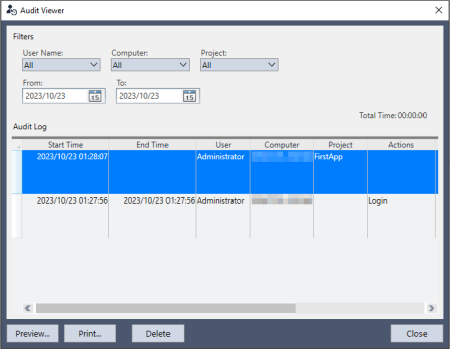
Each log records the start/end time, logged-in user, computer name used, project name, project path, work details, and operation time within the log.
Permissions are required to access these logs.
You can also delete selected logs. Permissions are required to delete logs.