Creating Program from a template
For creating a program easily, we provide templates which contain the general commands to create programs.
The procedure to create a program from a template is described below.
Select RC+ menu - [Tools] - [Express Sequence] - [Create New Project].
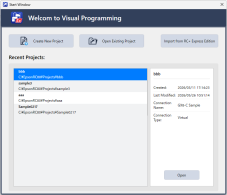
Enter the project name and select [OK].
Select robot type.
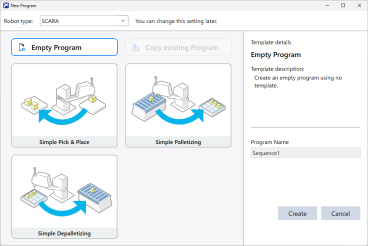
Select the template you want to create, enter a sequence name, and select [Create].
For the details of opening, renaming, or deleting existing projects, refer to the following manual.
“Epson RC+ 8.0 User’s Guide - [New] Command (Project Menu)”