[Delete] Command (Project Menu)
This command deletes an entire project from a PC disk. All files in the project folder will be destroyed.
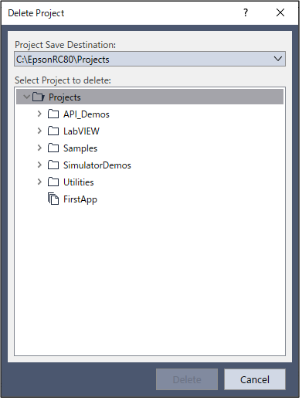
| Item | Description |
|---|---|
| Project save destination | Select the project save destination to delete. |
| Select Project to delete | Select a project to delete from the list. |
| Delete | Delete the project. You will be prompted to confirm the operation. |
| Cancel | Cancels the operation and closes the dialog. |
KEY POINTS
In the Windows file system, if a folder has the read-only or encrypted attribute set, the projects and folders contained in that folder are not displayed in the list on the screen. To display them, clear these attributes.