[Setup]-[System Configuration]-[Startup]-[Windows Login] Page
The Windows Login page allows you to configure the automatic login when Windows starts.
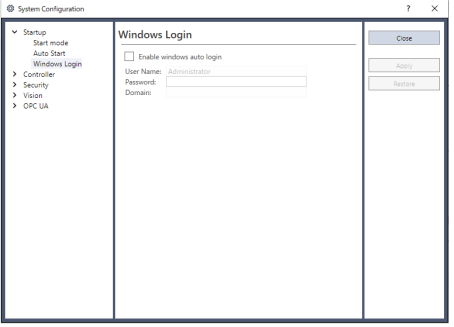
| Item | Description |
|---|---|
| Enable windows auto login | Check this box if you want to automatically login to Windows when it starts. You must supply a valid user name, password, and domain. |
| User Name | Enter the name of a valid Windows user on the system. |
| Password | Enter the login password for the user. |
| Domain | If the PC is the member of a domain, enter the name here. Optional. |