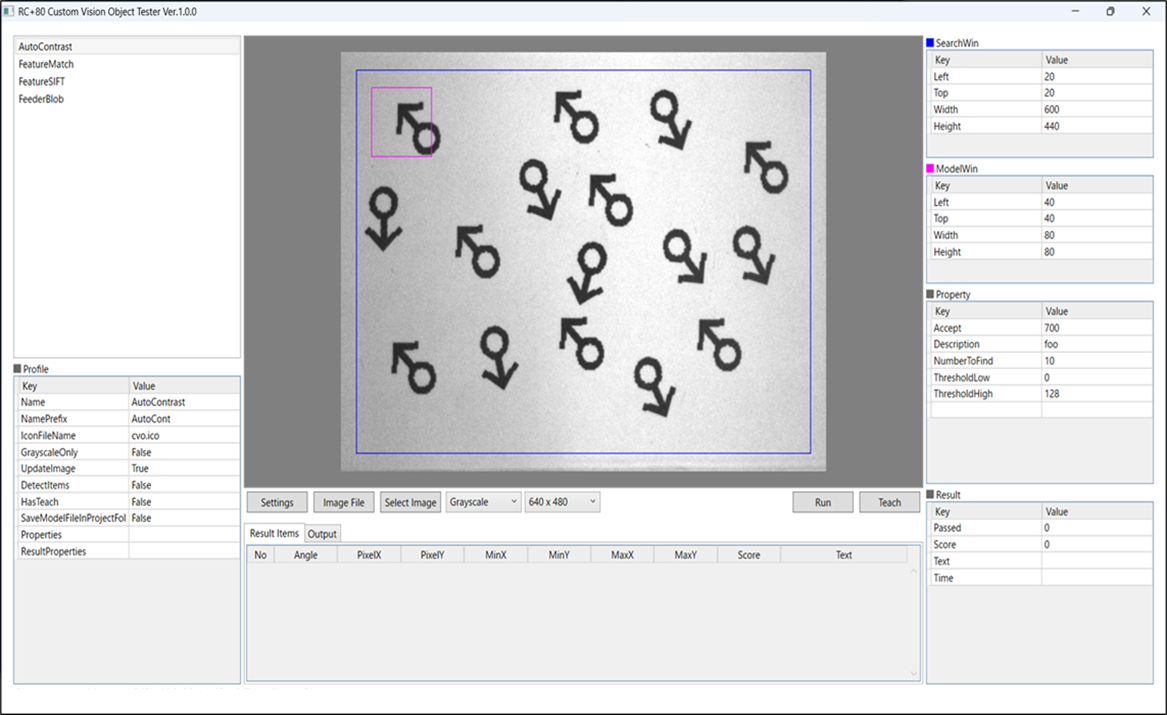
Getting Started
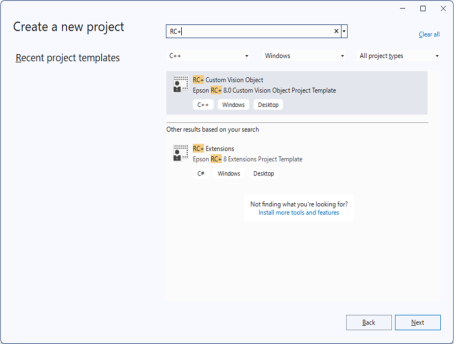
The VSIX common to all RC+ Extensions includes a Visual Studio project template for a custom vision object called "RC+ Custom Vision Object."
Use this template to create the Visual Studio project.
When creating a project wizard, the "RC+ Custom Vision Object Feature" screen appears. Enter the profile information for your custom vision object.
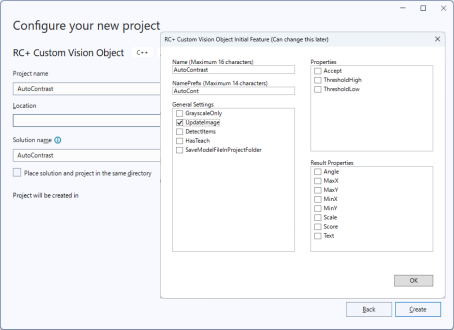
This setting can be changed in the implementation described in the next section.
Once the project is created, implement it in dllmain.cpp.
As this file already contains the required APIs (functions to be exported), implement the functions internally.
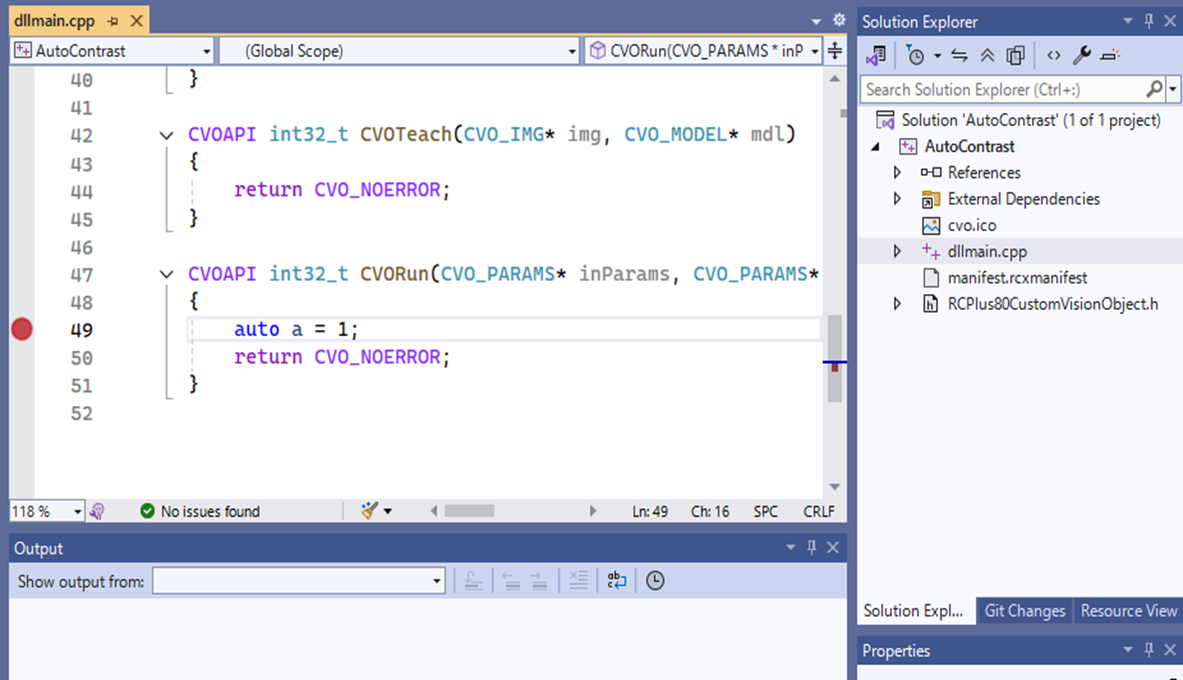
Set the target project as the startup project and debug it.
The custom vision object development tool launches, allowing you to check the operation of your custom vision object. You can also set breakpoints to debug the program.