How to Disable Fast Startup in Windows
How to Disable Fast Startup
Follow the steps below to disable the fast startup function.
* After performing this operation, the fast startup function remains disabled unless the setting is enabled again.
Click [Start] to display the application list.
Click [Windows System] in "W" field and click [Control Panel].
[Control Panel] is displayed.
Make sure that "Category" is selected in [View by] and click [System and Security].
*If Icon is selected in [View by], click [Power Options] and move to the step 4.
[System and Security] is displayed.
Select "Power Options".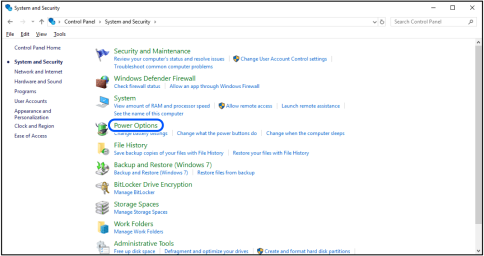
[Power Options] is displayed.
Select "Choose what the power buttons do".
[System Settings] is displayed.
Select "Change settings that are currently unavailable".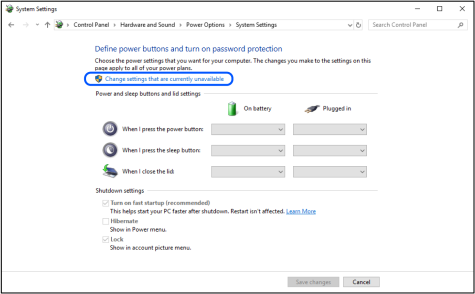
Deselect the checkmark of "Turn on fast startup" of [Shutdown settings] and click [Save changes].
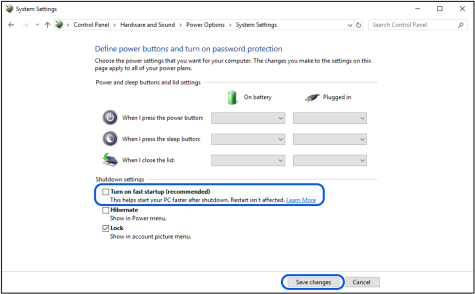
Now, the setting is complete.
PC will turn ON with fast startup disabled from the next time.