For CODESYS
Start Epson RC+ 8.0 on your PC.
Connect to the robot controller. You may need to configure a connection to the robot controller in [Setup]-[PC to Controller Communications]. See the Epson RC+ 8.0 User's Guide for instructions.
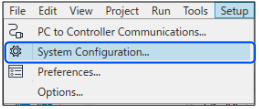
From the [Setup] menu, select [System Configuration].
Select [Remote Control]-[PLC] and select CODESYS as the PLC Vendor. The next items will be changed.
Control device: Remote I/O
The number of slave inputs/outputs bytes: When the I/O bytes are 31 bytes or less, 32 bytes are applied. When the I/O bytes are 32 bytes or greater, the number is not changed.
Remote inputs/outputs: For remote extended I/O
* 32 bytes are used for Function Block communications. Set 32 bytes or greater to use the remote I/O function.
Click [Close] on the [System Configuration] dialog. The controller will restart.