License Configuration for RC700, RC90, T, and VT Series
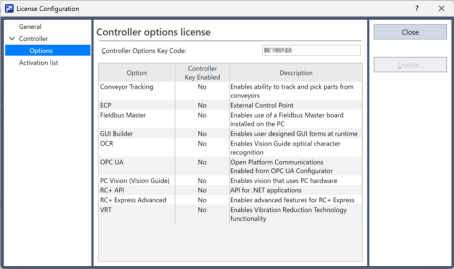
If you connect an RC700, RC90, T, or VT series Controller and then select [Controller]-[Options] from the [License Configuration] window, the window shown below appears. You can see which options are enabled for your system.
| Item | Description |
|---|---|
| Controller Options Key Code | Shows the options key code for the connected Controller. Requires purchase of a license. |
| Options | Name of the option. |
| Controller Key Enable | Indicates that the option is enabled in the controller. |
| Description | A brief note for each option. |