Jog Screen
Tap  to display the jog screen.
On the jog screen, you can operate the jog panel to check the robot's movements in the simulator.
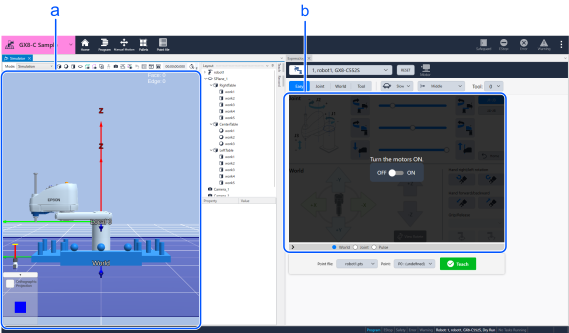
| Symbol | Name | Description |
|---|---|---|
| a | Simulator | Displays the robot’s motion on the simulator screen. - Change the point of view using the [Orthographic projection] button. - Pinch in and pinch out to zoom in and out of the screen. |
| b | Jog panel | You can operate the robot. |
← Operating Robot Motor →