How to Check the Robot Motion
This section explains how to operate the robot on the simulator screen and check its movements.
Operation procedure:
Turn the motor “On”.
Allows you to operate Jog panel.Select the jog mode (Easy, Joint, World, Tool).
In this example, select Joint.
Jog Mode (Easy, Joint, World, Tool)
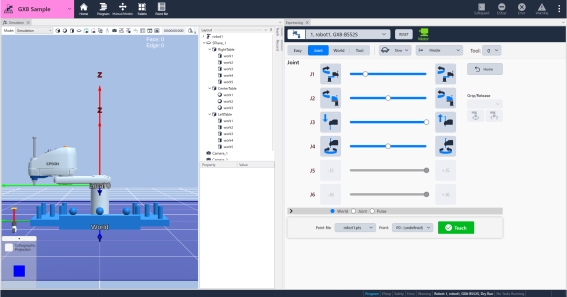
Tap or long-press the jog panel icon to check the robot's movements.
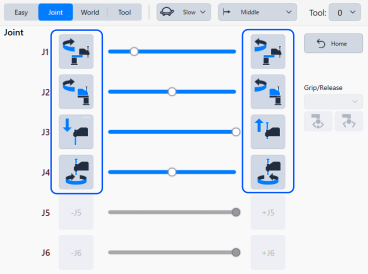
KEY POINTS
- When "World" is selected, you can align the direction of the arrows displayed on the simulator with the X, Y, and U directions on the jog panel. Tap
 and follow the on-screen instructions to change the orientation.
 - If you want to change the speed, change settings of Jog Speed and Jog Distance.
Jog Speed & Jog Distance - If you want to operate with hand tool, set up the hand tool. RC+ Menu - [Tools] - [Robot Manager] - [Hands].