External Wiring Kit
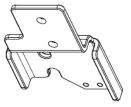
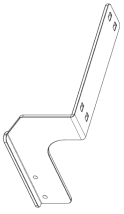
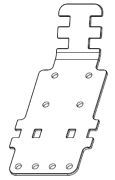
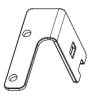
Using the external wiring kit, you can fix the wirings and pneumatic tubes for the hand along with the Manipulator. The external wiring kit can be used to select the cable fixing plate, according to your Manipulator’s operation condition.
For details of tightening the hexagon socket head cap bolt, refer to the following section.
Tightening the Hexagon Socket Head Cap Bolts
| Parts Included | Qty. | |
|---|---|---|
| Cable fixing plate | For the Base | 1 |
For Arm #1
| 1 | |
For Arm #2
| 1 | |
For Arm #3
| 1 | |
For Arm #4
| 1 | |
| Wire tie | 8 | |
| Cable protection sheet | 7 | |
| Hexagon spacer | 4 | |
| Hexagon socket head cap bolt M4×8 | 12 | |

Location for cable fixing plates
There are two mounting positions for the base on both sides. Use each cable fixing plate to select the location suitable for the cable routing according to your Manipulator’s operation condition.
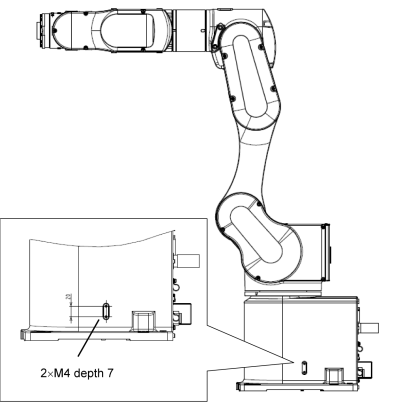
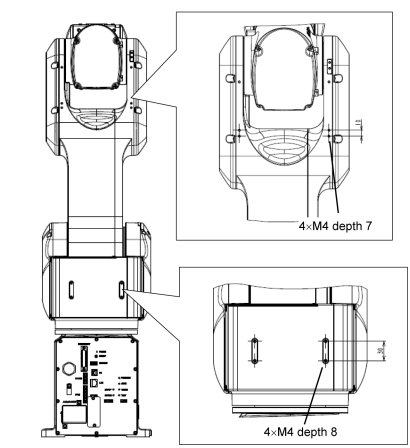
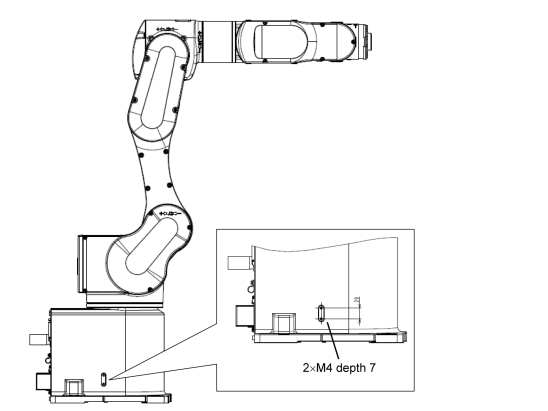
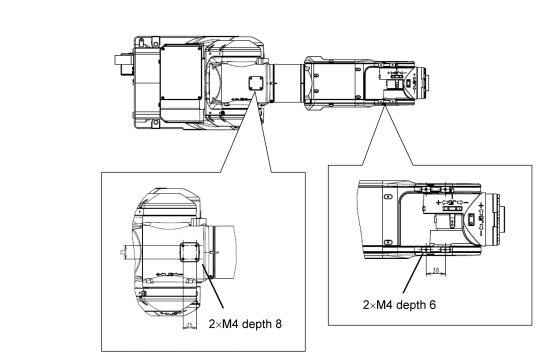
How to mount the cable fixing plates
For the Base
Mount the cable fixing plate on your Manipulator.
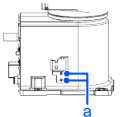
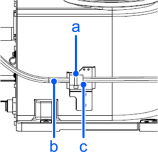
Hexagon socket head cap bolt (a) 2-M 4×8Put the wire tie (a) through the cutout and the slotted hole for fixing the cables on the cable fixing plate. Then, bind the cables (b) with the cable tie over the cable protection sheet (c).
KEY POINTS
When binding the cables, be sure to make extra length so that the cables will not be tight while each joint operates and the bending radius is within the specifications of the cable.
Plate for Arm #1
Mount the cable fixing plate on your Manipulator.
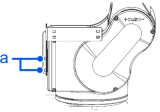
Hexagon socket head cap bolt (a): 2-M4× 8
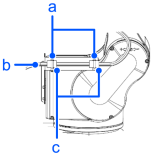
Tightening torque: 4.0 ± 0.2 N·mPut the cable tie (a) through the slotted holes (2×2 locations) for fixing cables on the cable fixing plate. Then, bind the cables (b) with the cable tie over the cable protection sheet (c).
KEY POINTS
When binding the cables, be sure to make extra length so that the cables will not be tight while each joint operates and the bending radius is within the specifications of the cable.
Plate for Arm #2
Installation
Mount the cable fixing plate on your Manipulator.
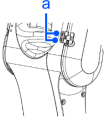
Hexagon socket head cap bolt (a): 2-M4× 8
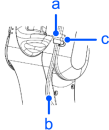
Tightening torque: 4.0 ± 0.2 N·mPut the cable tie (a) through the two slotted holes for fixing the cables on the cable fixing plate. Then, bind the cables (b) with the cable tie over the cable protection sheet (c).
KEY POINTS
When binding the cables, be sure to make extra length so that the cables will not be tight while each joint operates and the bending radius is within the specifications of the cable.
Plate for Arm #3
Mount the cable fixing plate and the hexagon spacer (b) on your Manipulator.
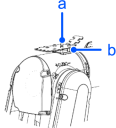
Hexagon socket head cap bolt (a): 2-M 4×8
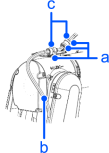
Tightening torque: 4.0 ± 0.2 N·mPut the cable tie (a) through the cutout for fixing the cables on the cable fixing plate. Then, bind the cables (b) with the cable tie over the cable protection sheet (c). After binding the cables, use the cutout on the front to bind the cables (b) with the cable tie (a) over the cable protection sheet (c).
KEY POINTS
When binding the cables, be sure to make extra length so that the cables will not be tight while each joint operates and the bending radius is within the specifications of the cable.
Plate for Arm #4
Mount the cable fixing plate on your Manipulator.
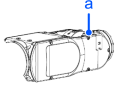 Hexagon socket head cap bolt (a): 2-M 4×8
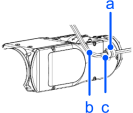
Tightening torque: 4.0 ± 0.2 N·mPut the cable tie (a) through the two cutouts for fixing cables on the cable fixing plate. Then, bind the cables (b) with the cable tie over the cable protection sheet (c).
KEY POINTS
When binding the cables, be sure to make extra length so that the cables will not be tight while each joint operates and the bending radius is within the specifications of the cable.