Start-up Method of Chat Edit
- Select tool bar -
 [SPEL+ Assistant].
 - Select Epson RC+ 8.0 menu - [Tools] - [SPEL+ Assistant].
The SPEL+ Assistant screen is displayed. Select [Edit] using the radio button that selects [Edit] or [Ask].
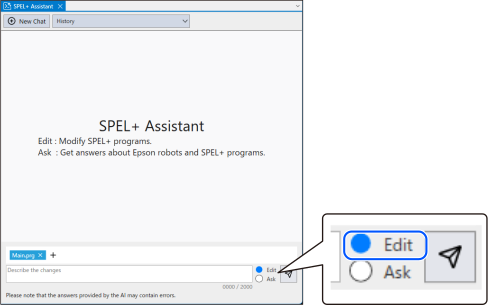
[SPEL+ Assistant].The SPEL+ Assistant screen is displayed. Select [Edit] using the radio button that selects [Edit] or [Ask].