Confirmation of Saved Controller Condition
You can confirm the conditions of saved controller.
Select Epson RC+ 8.0 menu-[Tools]-[Controller] menu to open the [Controller Tools] dialog.
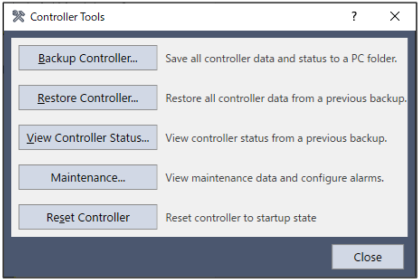
Click on the [View Controller Status] button to open the [Browse For Folder] dialog.
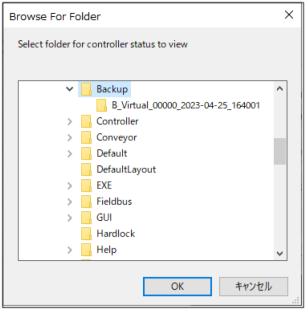
Select the folder where the information is stored.
B_controller type_controller serial number_date/time
KEY POINTS
You can choose the folder that stored Controller status information.
BU_controller type_controller serial number_date/time
Click [OK] to view the selected controller status.
The [Controller Status Viewer] dialog will be displayed.
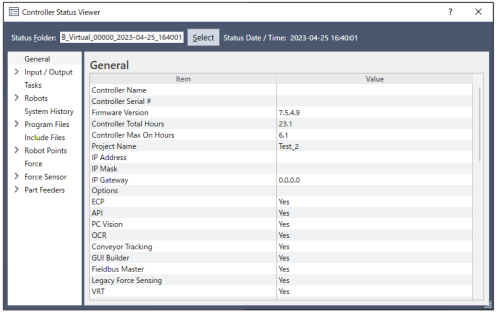
Select items to view from the tree on the left side of the dialog.
To view another controller status, click the […]button next to the [Status Folder] and select a new status folder.