Mode LEDs and 7-segment LED
When SRCI control is enabled, the display of the mode LEDs and 7-segment LED on the controller is as described below.
Mode LEDs
| LED name | ON condition |
|---|---|
| TEST | When the mode switches to T1 External or T2 External mode |
| TEACH | Does not turn ON. |
| AUTO | When the mode switches to Auto External mode |
| PROGRAM | When the control authority is transferred from the PLC to RC+ by connecting RC+ (when the mode switches to PROGRAM mode) |
7-segment LED
| Controller state | Display contents |
|---|---|
| Standby state | The following display is repeated - - |
| Running state | The following display is repeated - LED display of the command type value - * The command type value when the controller is running in the order buffer, or has paused is displayed. Example: When MoveLinearAbsolute is executed, 2104 is displayed. |
| Warning display | The following display is repeated - (SHLP) display (SHLP) display - LED display of alarm message code See: Alarm message code |
| Error status | The following is repeated in the case of an error - - LED display of alarm message code The following is repeated in the case of a fatal error - - LED display of alarm message code See: Alarm message code |
 (S ---) Display
 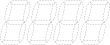 ( ) Display
 (SE ) display
  (SFE ) display
 - The alarm message code is a hexadecimal display (b and d are represented in lower case).
Errors and warnings not caused by SRCI control (such as fieldbus communication errors, emergency stops, safeguard open detection, and parts wear management warnings) follow the display methods and codes used during normal operation. For the meaning of the display contents and codes, refer to the following manuals:
"Robot Controller RC800-A/RC800L Manual"
"List of Status Codes and Error Codes (RC800 Series)"