Callback Functions
Callback functions are SPEL+ functions called back from the Part Feeding process when certain conditions are met. Callback functions are automatically generated within a project when parts are added. Callback functions are to be modified by the user based on the system in use.
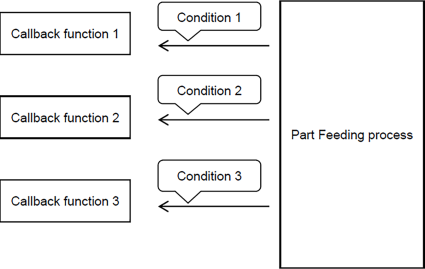
For example, let’s assume the user sets a robot command to pick and place parts to the PF_Robot callback function. If the robot can pick up parts scattered randomly across the feeder, the Part Feeding process will then call the PF_Robot callback function. Therefore, it is important to note that callback functions are not called using user-prepared functions. Rather, they are automatically called up from the Part Feeding process.
The following is a list of callback functions with a description of each.
| Function name | Description |
|---|---|
| PF_Robot | Picks up and places parts |
| PF_Control | Controls user device (hopper, user lighting) |
| PF_Status | Error processing |
| PF_MobileCam | Moves robot while using the mobile camera |
| PF_Vision | Performs user-defined vision processing |
| PF_Feeder | Customer's own feeder operation |
| PF_CycleStop | Performs processing when a stop command is issued |
The following lists the conditions upon which callback functions are called.
| Condition | Function name |
|---|---|
| Able to pick up parts | PF_Robot |
| Parts no longer found | PF_Status |
| Turn on the user lighting | PF_Control |
| Mobile camera is moved to image capture position | PF_MobileCam |
| An error occurred. | PF_Status |
Refer to the following for further details on the callback functions.
Part Feeding Callback Functions