JogPanel
Runs the Epson RC+ jog & teach screen from a SPEL+ program.
Syntax
JogPanel (Jog panel display, Teach panel display, Motion command panel display, Hand operation panel display, SFree panel display)
Parameters
| Parameters | Description |
|---|---|
| Jog panel display | Specifies whether to show or hide the jog panel.
|
| Teach panel display | Specifies whether to show or hide the teach panel.
|
| Motion command panel display | Specifies whether to show or hide the motion command panel.
|
| Hand operation panel display | Specifies whether to show or hide the hand operation panel.
|
| SFree panel display | Specifies whether to show or hide the SFree panel.
|
Description
This function is used to start and display the Epson RC+ jog & teach screen from a SPEL+ task.
The task will be suspended until the operator closes the dialog.
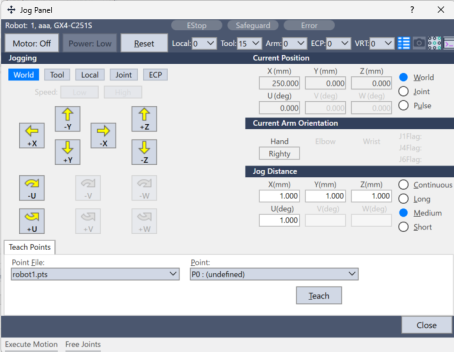
When executing a robot command from the Epson RC+ screen, ensure that no other tasks are controlling the robot while this screen is displayed.
An error occurs if another task that controls the robot is running.
See Also
RunDialog Statement, ToolWizard Function, TeachPoint
JogPanel Example
JogPanel(True, True, True, True, True)