• ja-JP
  • en-US
  • zh-CN
  • zh-TW
  • ko-KR
  • fr-FR
  • de-DE
  • it-IT
  • nl-NL
  • pt-PT
  • es-ES
  • ru
  • Epson RC+ 8.0 Option Vibration Reduction Technology
    • 010

      • FOREWORD
        • 010-010

    • 020

      • Overview
        • 020-010

    • 030

      • Safety
        • 030-010

    • 040

      • VRT Command Options
    • 050

      • VR (Vibration Reading) Unit
        • 050-010

    • 060

      • Installing Software
        • 060-010

    • 070

      • Read VRT Parameters and Confirm Vibration Reduction Effect
        • 070-010

    • 080

      • Software Window Layout
        • 080-010

          • Epson RC+ GUI (VRT Tab)
          • VR software
            • 080-010-020

              • How to Activate
              • Common part
              • [Read VRT Parameter] Tab
              • [Short movement] Tab
              • Input Window for Motion Command
    • 090

      • SPEL+ Command Reference
        • 090-010

    • 100

      • SPEL+ Command
        • 100-010

    • 110

      • Troubleshooting
        • 110-010

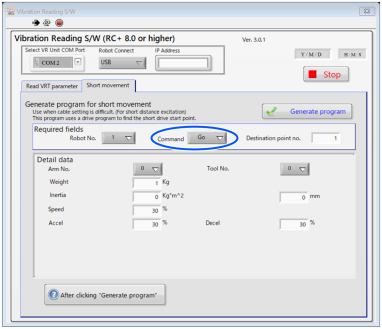
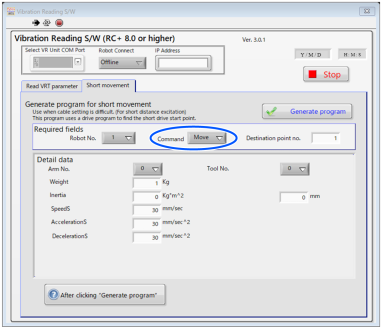
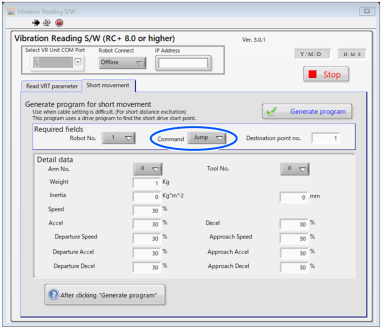
Input Window for Motion Command

Items displaying on [Detail data] differ depending on specified command on [Required fields]-[Move instruction].

Go
Move
Jump
← [Short movement] Tab SPEL+ Command Reference →

© 2025 Seiko Epson Corp.