Read VRT Parameters
When you can confirm that the USB cable is wired properly during the robot motion, keep the connection with Epson RC+ without any change.
Activate the VR software by either way.
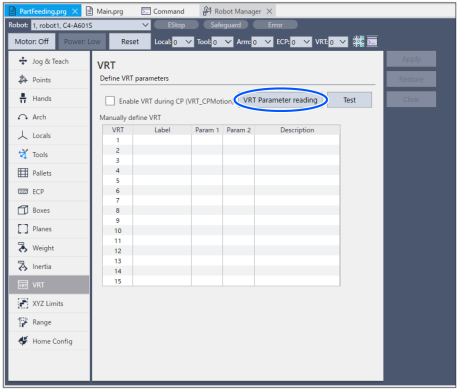
- With Epson RC+ 8.0, click the [Robot Manager]-[VRT]- [VRT Parameter reading] button.
- Activate "
C: \EpsonRC80\exe\VR_SW.exe"
Start from Epson RC+ 8.0
Start from VR software
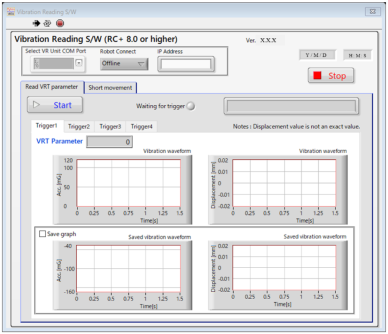
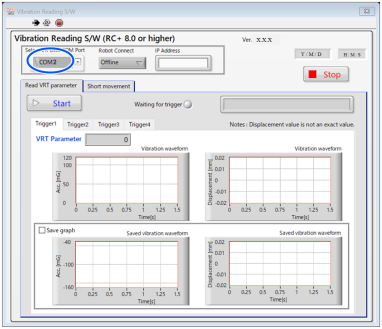
Select the port number of USB connection port that connects VR unit.
Refer to the following to check COM port number.
Connection with PC and Wiring Cables - How to check USB COM port number of VR unit
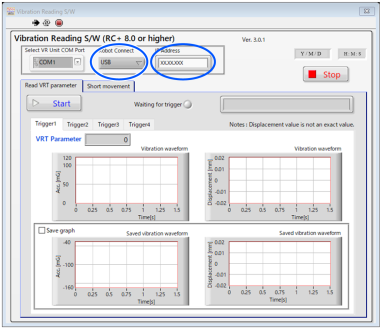
Specify how to connect the running Epson RC+ and the robot.
Ethernet connection: input IP address.
USB connection: input to IP address part is not required.
Now, setting has completed.
To read VRT parameters, set the condition to waiting for trigger.
Click the [Start] button to enable “VRT_Trigger” command of Epson RC+.
Also, [Waiting for trigger] will be lighted up in green.
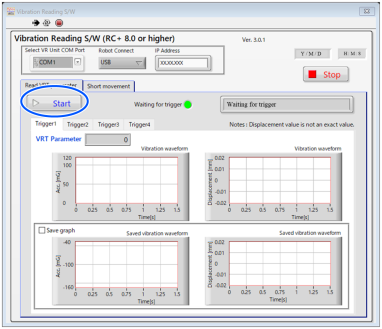
Confirm that the [Waiting for trigger] is lighted up in green and execute the program by Epson RC+. The program to be executed is the program that added “VRT_Trigger” command according to the following steps.
When the robot reaches to the specified point of motion command that added “VRT_Trigger” command, the VR software measures vibration and output calculated VRT parameter values.
Write down the value showed on [VRT Parameter].
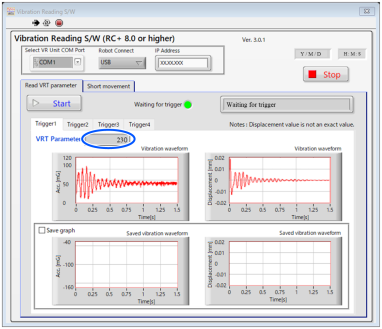
Now, VRT parameter value has read.
When executing program with adding more than one “VRT_Trigger” commands:
Every time program execution reaches to “VRT_Trigger” command, measurement is performed and parameters are calculated
Click the [Stop] button to stop the trigger for reading. When the [Stop] button is clicked, “VRT_Trigger” command set by Epson RC+ will be disabled.
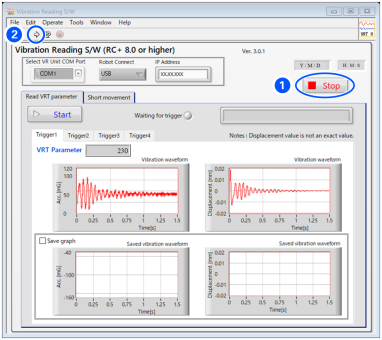
How to measure again
Click an arrow icon ② on upper left and click the [Start] button. Condition will be the trigger start condition and measurement will start again.