[Import] (File Menu)
You can import parts from other Epson RC+ 8.0 projects.
Select Epson RC+ 8.0 Menu - [File] - [Import].
Select "Part Feeding (*.pf)" for file type.
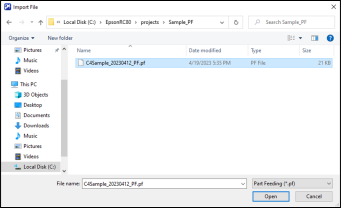
Use the following screen to import files.
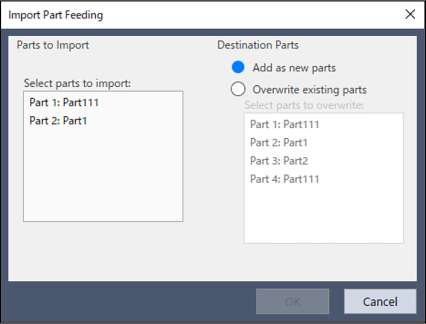
| Items | Description |
|---|---|
| Select part to import | Selects the part to import. |
| Add as a new part | Select this to add the part as a new part. |
| Overwrite an existing part | Select this to overwrite existing part data. |
| Select part to overwrite | Select the part to overwrite when "Overwrite an existing part" is selected. |