Configuring Communications with the Controller
In the Epson RC+ 8.0 menu, select [Setup]-[PC to Controller Communications]. The following dialog appears. Configure communications with the Controller.
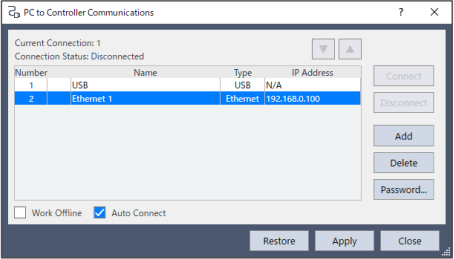
The dialog has a list of connections. The first connection is for USB and is fixed. You cannot delete or change.
You can add, delete, or rename one or more Ethernet connections, and change the Controller series details or the IP address.
The name of the connection will be added to the list on the main toolbar.
See details below.