(2) Adjust the vibration frequency
If the workpieces do not move as intended with the default parameters, adjust the parameters as follows.
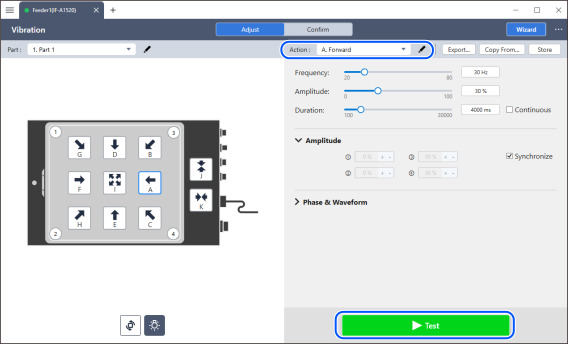
This section explains how to adjust the parameters using vibration action A Forward as an example.
Select A Forward from the movement action selection menu.
Click the [Test] button.
KEY POINTS
Clicking action button A in the image will execute the movement action in a single operation without clicking the [Test] button.
Check if the vibration frequency is appropriate.
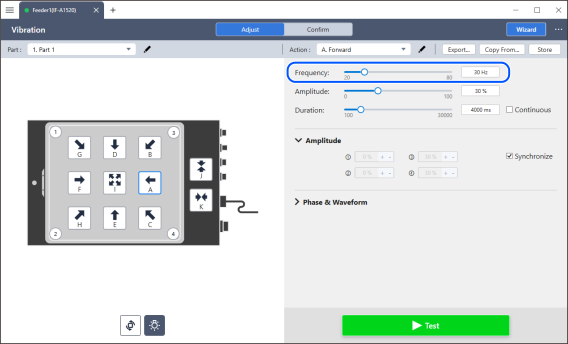
Find the appropriate frequency by slightly changing it from the default frequency.
KEY POINTS
At the resonant frequency, the vibration behavior changes abruptly. Significantly changing the frequency from the default makes optimal adjustment difficult. When you're unfamiliar with the process, it's recommended to change the frequency gradually.