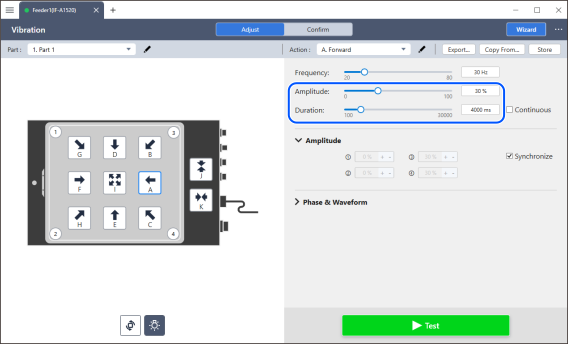
(3) Adjust the vibration amplitude → duration.
Check if the vibration amplitude is appropriate. Adjusting the [Amplitude] will change how the workpiece bounces on the plate. Adjust the slider bar so that the workpiece bounces appropriately.
Adjust the duration. Adjust the duration using the slider bar so that the amount of workpiece movement is as expected.
KEY POINTS
- If a loud abnormal noise (GRRR sound) comes from the feeder, remove the workpieces. If the noise remains loud, the vibration amplitude is too strong. Reduce the vibration amplitude to a level where no abnormal noise is produced, as it could cause a breakdown or damage the operator's hearing. Adjusting the vibration frequency may also improve the situation.
- Checking the [Continuous] checkbox will cause continuous vibration. This makes it easier to adjust the vibration amplitude and frequency.