Teaching Procedure
The basic jog operation and teaching procedure is indicated.
Switch the mode selector switch to “Teach” to display the [Jog & Teach] screen.
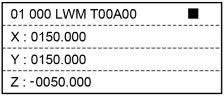
In the [Jog & Teach] screen, jog motion (push the jog keys to move the robot) is available.
KEY POINTS
When you switch the mode to “TEACH”, the speed setting of the robot will be the speed (high, low) on the [Jog & Teach] window. Since the motion command will be executed at this speed after the above operation, set the speed again by the commands such as Motor, Speed, and Accel.
SCARA robots, RS series robot:
Direct Teaching operation is available.
Set the robot’s joint to Servo Free by the [Jog & Teach] screen and move the robot arm directly.
6-Axis robots (C4 series, C8 series, N series):
Direct Teach + Touch Jog operation is available.
Use Epson RC+ Option Force Guide to move the robot arm directly in the [Direct Teach + Touch Jog] screen.
KEY POINTS
Direct Teach + Touch Jog function is supported as default for EPSON RC+ 7.0 Ver.7.4.4 or later, and Epson RC+ 8.0. However, Direct Teach + Touch Jog operation is available only when using Epson RC+ Option Force Guide.
When not using the Force Guide, Direct Teach + Touch Jog operation is not available.