Direct Teach + Touch Jog Operation (C4, C8, N series robots)
In [Direct Teach + Touch Jog] screen, use Epson RC+ Option Force Guide to move the robot directly by hands.
Press the [Shift] key and the [OK] key in the [Jog & Teach] screen.
The following confirmation screen appears.
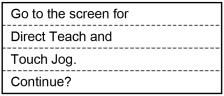
Press the [OK] key to switch to the [Direct Teach + Touch Jog] screen.
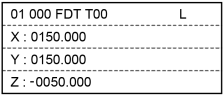
Press the [F5] key in the [Direct Teach + Touch Jog] screen. Set Direct Teach or Touch Jog to ready for operation.
The following confirmation screen appears.
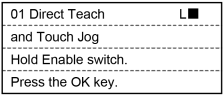
Press the [OK] key to set Direct Teach or Touch Jog to ready for operation.
When the Direct Teach or Touch Jog can be executed, “R” is displayed on the header.
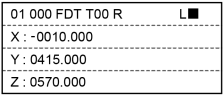
Move the robot arm to the teaching position manually while holding the enable switch.
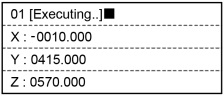
While the Direct Teach or Touch Jog is operating, “Executing…” is displayed on the header and any key operations of TP2 is disabled.
To perform point teaching or change parameters, release the hand from the enable switch.