License activation (offline authentication)
This describes the procedure for license activation on a PC without Internet access.
Start the Epson RC+ 8.0 software.
On the License Activation screen, enter in the license key and click the [OK] button.
On the Offline Authentication screen, obtain an activation key in any of the following ways.
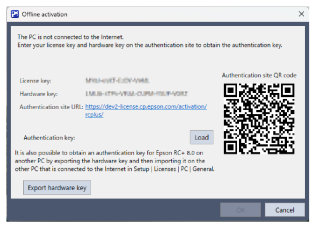
Connect to the authentication site displayed on the screen from another device that is connected to the Internet. Enter your license key and hardware key to obtain the activation key (you can also connect to the authorization site by scanning the QR code).
Click the [Export hardware key] button to generate a hardware key. Launch Epson RC+ 8.0 on another PC connected to the Internet, read the output hardware key, and obtain the activation key.
For details, see the [File Authentication] button on the screen below.
On the Offline Authentication screen, click the [Load] button. Load the activation key, and then click the [OK] button.
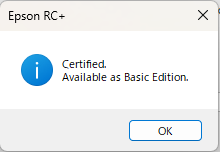
If license activation is successful, the Epson RC+ 8.0 software will restart.
KEY POINTS
After license activation, a guide screen on special offers will be displayed which may allow you to use additional special offers. For details on the terms of use of additional special offers, contact the supplier.