Epson RC+ 8.0 Configuration
To use the Fieldbus master board, the Robot system option setting and Fieldbus master setting should be enabled on Epson RC+ 8.0.
Select [Setup] - [License Configuration] and display the [Options] dialog box.
Enable the Fieldbus Master option.
Refer to the following section for details.
"Epson RC+ 8.0 User's Guide - Installing Controller License"
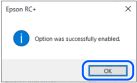
When the following message displays, click the [OK] button.
Select [Setup] - [System Configuration] and display the [System Configuration] dialog box.
Select [Controller] - [Inputs/Outputs] - [Fieldbus Master] - [General].
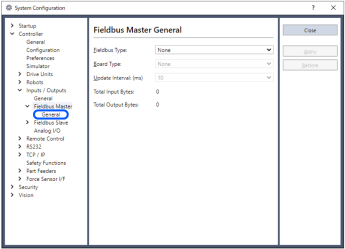
Set the following items:
Fieldbus Type: DeviceNet
Board Type: Molex
Update Interval: Update cycle for the DeviceNet master I/O
Click [Apply].
Confirm that following items are displayed.
Total Input Bytes: Number of inputs the master controls (Bytes)
Total Output Bytes: Number of outputs the master controls (Bytes)Click [Close].
The following dialog box appears and the Controller automatically starts rebooting.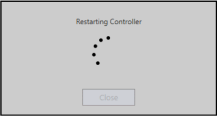
Select [Setup] - [System Configuration] and display the [System Configuration] dialog box.
Select [Controller] - [Inputs / Outputs].
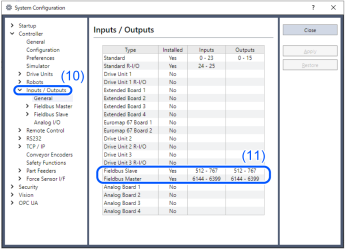
Confirm that "Fieldbus Master" displays the following items:
Installed: Yes
Inputs: "6144" - "6144 + Number of inputs the master controls (Bits)"
Outputs: "6144" - "6144 + Number of outputs the master controls (Bits)"Select [Fieldbus Master] - [General].

Confirm that following items are displayed.
Total Input Bytes: Number of inputs the master controls (Bytes)
Total Output Bytes: Number of outputs the master controls (Bytes)Select [Fieldbus Master] - [Slaves].
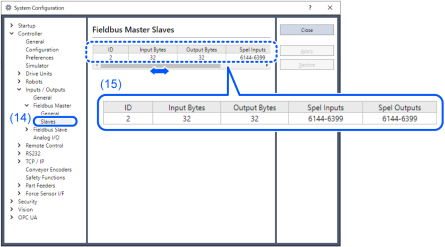
Confirm that the following information the master controls is displayed.
- ID: Fieldbus station ID of slave
- Input Bytes: Number of inputs per slave (Bytes)
- Output Bytes: Number of outputs per slave (Bytes)
- Spel Inputs: Number of inputs per slave (Bits)
- Spel Outputs: Number of outputs per slave (Bits)
- ID: Fieldbus station ID of slave