Overview of [Robot Manager]
This is used to control the robot motors and power, jog robots, teach points, and view/edit several parameters for the robot. Refer to the following for more details.
“Users Guide- [Robot Manager] Command (Tools Menu)”
This section describes an instruction for the PG robot parameter setting.
How to edit the [Robot Manager]
Start the Epson RC+.
Select the Robot Manager from the Tools menu.

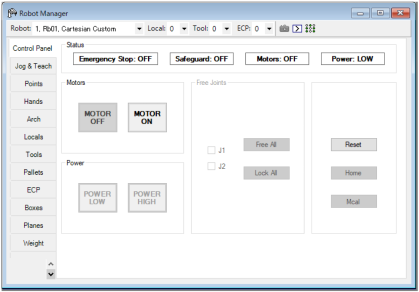

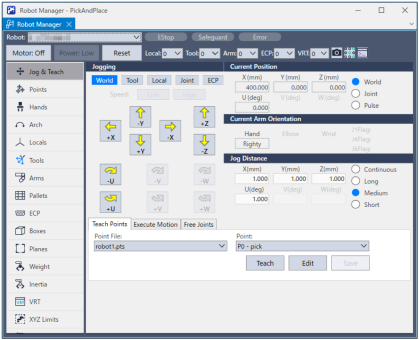
Follow the instruction in the following and follows to change the parameter settings.
Click [Apply] to save the new settings.