[Home Config]

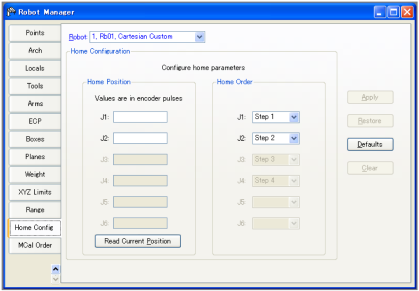

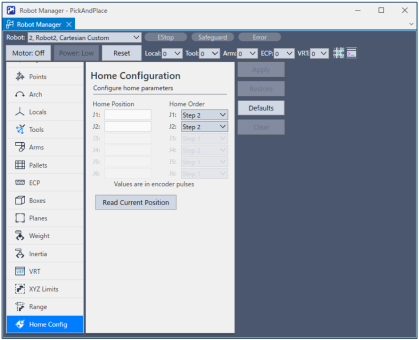
When HOME (a command to move to the user-defined home position) is executed, each joint will be moved to the user-defined home position in the order as specified by the HORDR command.
Click the [Defaults] button if you want to load the default values set in the following.
J1 through J6 represent Joint #1 through Joint #6 respectively and, they are moved to the user-defined home position in the order as specified by Step 1 through Step 4. In the illustrated example, the Joint #2 will be moved to the user-defined home position after Joint #1 is calibrated and moved to the waiting position.
← [Range] [Mcal Order] →