PG Signal Status Display
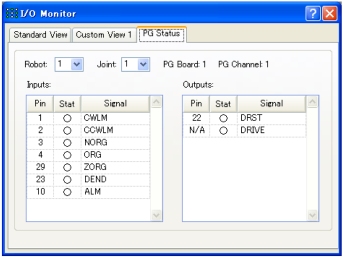
Input and output status of the PG board can be displayed on the Epson RC+ GUI.
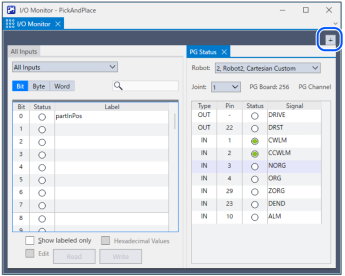
When the PG robot is selected, open the [I/O Monitor] of the Epson RC and select [PG Status] tab.
The [PG Status] tab cannot be displayed in the [I/O Monitor] in the Operator mode.


KEY POINTS
If the PG Status tub is not displayed, click the [+] button to add.
DRIVE signal turns “On” while the pulse waveform is output. It does not represent the status of the pulse waveform itself.