Recording a Profile
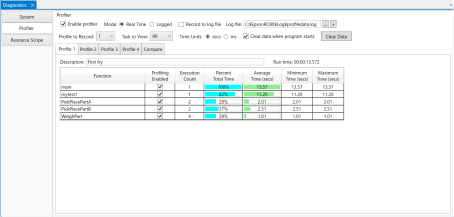
Follow the steps below to record a profile.
- Select the [Enable profiler] check box.
- Select the [Real time] mode.
- If necessary, check the [Record to log file] check box and select the [Log file].
- Select [Profile to record].
- Select the tab for the profile you want to record ([Profile 1] to [Profile 4]).
- If necessary, add a description for the profile.
- Select the [Profiling Enabled] check boxes for the functions you want to profile.
- Run the program.
- Display the recorded data.