Displaying Log Data
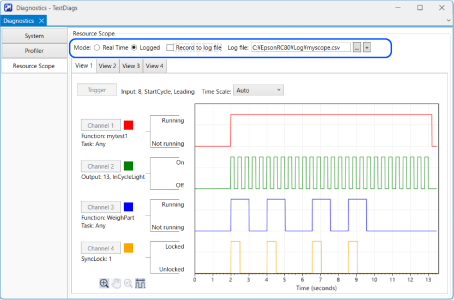
Follow the steps below to display the log data.
- Select the [Logged] mode.
- Select a previously recorded log file in [Log File].
- The log file settings and data are displayed.
KEY POINTS
In the [Logged] mode, the [Trigger] and channel setting buttons ([Channel 1] to [Channel 4]) are disabled.
Regardless of the mode, you can also click the
 button to specify a log file and display it in a new window.