Setting the Channels
You can set one or more channels on a view tab.
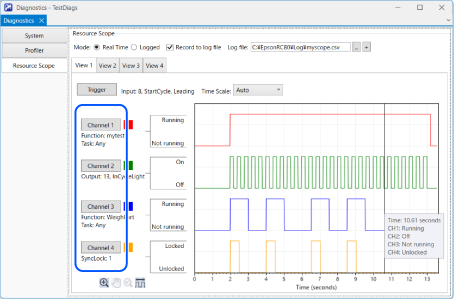
Follow the steps below to set a channel.
Click the channel button ([Channel 1] to [Channel 4]) corresponding to the channel you want to set. A channel setup dialog box appears.
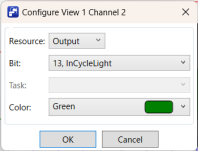
Select the resource you want to monitor.
Depending on the resource you selected, select Bit, Index, or Function. [Function] allows you to select any task or a specific task.
Set the [Color] to be used for the graph.
Click [OK].