Resource Scope
The resource scope allows you to monitor timings between selected resource states, much like an oscilloscope. The following resources can be monitored.
- Input
- Output
- Memory I/O
- Function
- SyncLock
You can configure up to four view tabs ([View 1] to [View 4]). Each view tab shows the trigger and four channels. The trigger can be used to initiate data display for a channel when a specified resource state changes.
The timing resolution is 10 ms. Data can be acquired for up to 10 minutes.
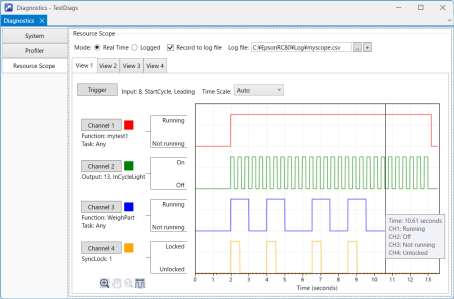
| Item | Description |
|---|---|
| Mode | Select whether to view real-time or logged data. |
| Record to log file | Select this check box to record the data in a log file. |
| Log file | Specify the log file to record the data to. |
 | Specify the log file and open a new window to display only the logged data. |
| View tab | Click the view tab you want to see. |
| Trigger | Use this button to set a trigger for the selected view tab. |
| Channel | Use these buttons to set the channels for the selected view tab. |
| Time Scale | Select the graph timescale on the selected view tab. |
 | Use this button to enable or disable the graph zoom mode. |
 | Use this button to enable or disable the graph pan mode. |
 | Use this button to reset the graph to 1x zoom. |
 | Use this button to measure the time difference between any two points on the graph. Any two points are displayed as dashed lines and can be moved by hovering the mouse cursor over them and dragging.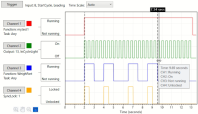 |