Setting the Trigger
Click the [Trigger] button to set the trigger for each view tab.
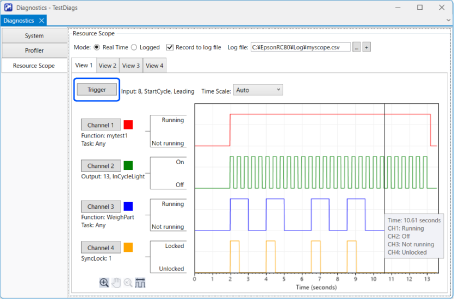
When a trigger is activated during execution, recording starts for the associated view tab. If the trigger is set to None, data recording begins immediately after the program starts.
Follow the steps below to set the trigger.
Select the required view tab.
Click the [Trigger] button to open the [Configure Trigger] dialog box.
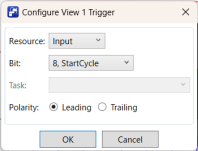
Select the Resource to act as the trigger.
Depending on the resource you selected, select Bit, Index, or Function. [Function] allows you to select any task or a specific task.
Select [Polarity].
Click [OK].