Control Device Settings
Real-time motion control can be used by setting the control device to "Real-time Motion Control."
KEY POINTS
To make these settings, you will need Epson RC+ 8.0 Ver. 8.1.1.0 or later.
Enable the controller options "Real-time Motion Control." For details, see below.
The [System Configuration] command opens a dialog that contains several pages that are used to configure the system for the Epson RC+ 8.0 environment. Select [Controller]-[Configuration]. Select "Real-time Motion Control" in the [Control Device] box.
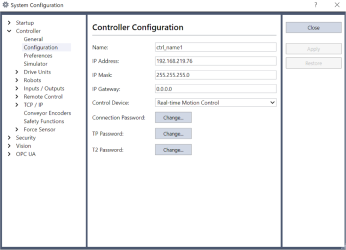
For details on the dialog setting, see below.
[Setup]-[System Configuration]-[Controller]-[Configuration] Page
Click the [Apply] button to save the new setting, then click the [Close] button.