[Robot Simulator] window layout
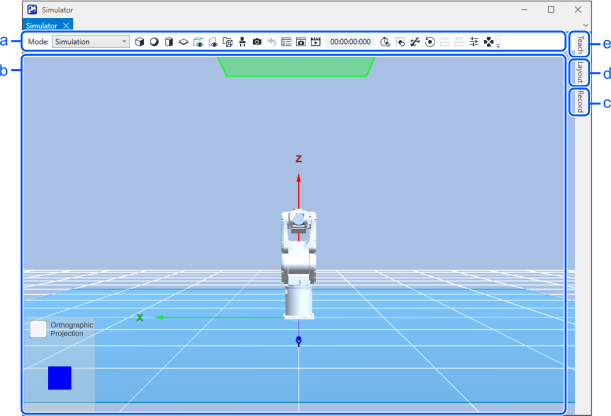
| Symbol | Item | Description |
|---|---|---|
| a | Tool Bar | Buttons for commands commonly used in the simulator are lined up. |
| b | 3D Display | Allows you to check the robot orientation and motion from various points of view. |
| c | Record Tab | Allows you to record simulation results. |
| d | Layout Tab | Displays lists of robot and layout objects, and sets properties. |
| e | Teach Tab | Used to check current position and perform point teaching. |