Sensor Conveyor Calibration (Circular conveyor)
Follow these steps to calibrate a circular sensor conveyor:
KEY POINTS
- When teaching part positions with the robot during calibration, it is important to position X, Y, and Z of each point accurately. The conveyor is calibrated in X, Y, Z, U, V, and W.
- To perform the fine calibration, in steps 10, 12, and 14, teach the position when the robot is directly above the parts and set as wide a distance as possible between the points to be taught.
Select [Tools]-[Conveyor Tracking].
Select the conveyor you want to calibrate.
Select [Sensor] for the [Type].
Select [Circular] for the [Motion].
Select the conveyor rotating direction for the [Direction]. Be careful not to calibrate with a wrong direction, otherwise, the robot will not track the parts.
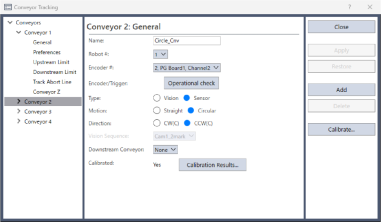
Click the [Apply] button.
Click the [Calibrate] button.
The [Conveyor Tracking Calibration] wizard is displayed. Follow the instructions displayed on the screen to confirm the settings of the conveyor encoder, the tool coordinate system, and the vision sequence.
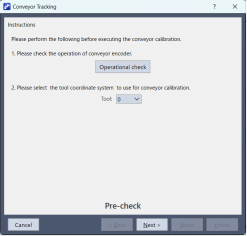
Check if the conveyor direction shown in the wizard is the same as the conveyor you want to use.
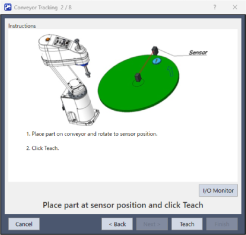
Place a part on the conveyor and move the conveyor toward the sensor until the sensor just turns on.
Click the [Teach] button.
Move the conveyor by hand to move Part.
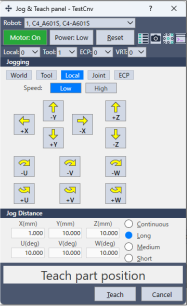
Click the [Jog & Teach] button.
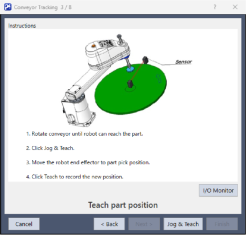
The [Jog & Teach panel] will appear. Click the jog buttons to move the robot end effector to the pick position.
Click the [Teach] button.
Move the conveyor to move Part.
Click the [Jog & Teach] button.
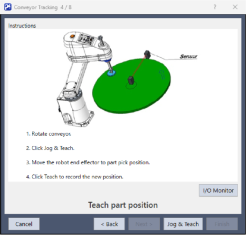
The [Jog & Teach panel] will appear. Click the jog buttons to move the robot end effector to the pick position.
Click the [Teach] button.
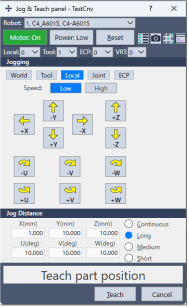
Move the conveyor to move Part.
Click the [Jog & Teach] button.
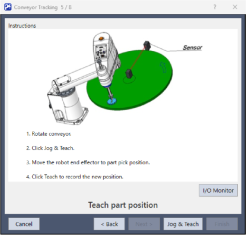
The [Jog & Teach panel] will appear. Click the jog buttons to move the robot end effector to the pick position.
Click the [Teach] button.
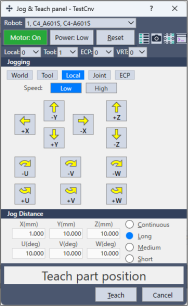
Place a part on the upstream limit.
Click the [Jog & Teach] button.
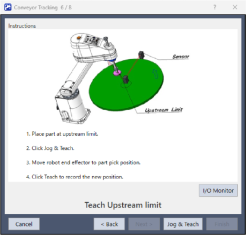
The [Jog & Teach panel] will appear. Click the jog buttons to move the robot end effector above the part.
Click the [Teach] button.
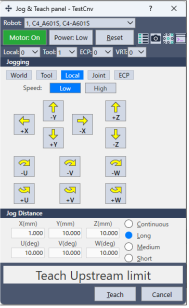
Move the conveyor so the part is at the downstream limit.
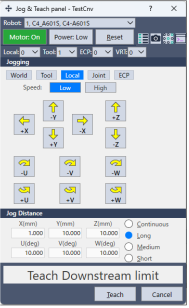
Click the [Jog & Teach] button.
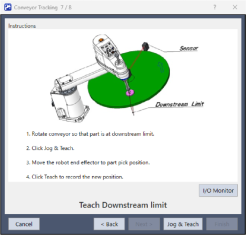
The [Jog & Teach panel] will appear. Click the jog buttons to move the robot end effector above the part.
Click the [Teach] button.
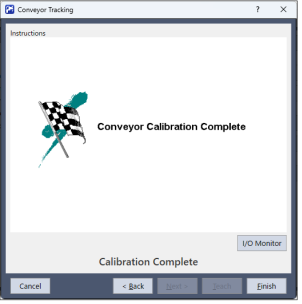
The calibration complete picture will be displayed.
Click the [Finish] button.
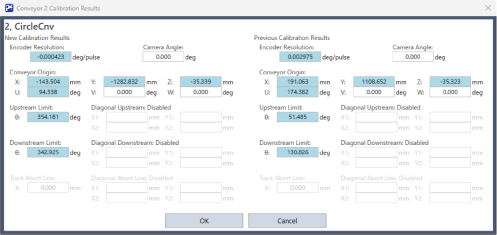
The Calibration Results screen is displayed.
- Click the [OK] button to complete the calibration.
- Click the [Cancel] button to return to the Calibration Complete screen in step 20.