How to set the Z rising height
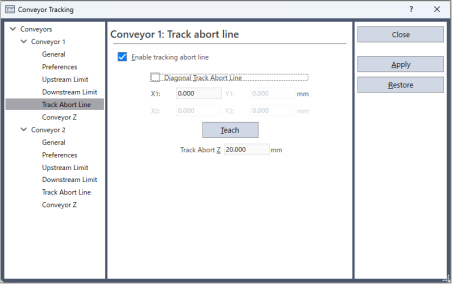
The default rising height during tracking abort is 10 mm. You can change the height in the following way.
- Select [Tools]-[Conveyor Tracking].
- Select the conveyor to configure.
- Select [Track Abort Line].
- Set the rising height and click the [Apply] button.
KEY POINTS
If the out of motion range error occurs while the hand rises, decrease the rising height.